Cafés & everyday conversations
Order, ask, and join in. Rehearse the small exchanges that help you take part in daily life.

BRAZILIAN PORTUGUESE · FOR REAL LIFE
Practice useful Brazilian Portuguese aloud on your iPhone. Listen, speak, see your result — ready for your next conversation.
SEE HOW IT WORKS
One useful phrase. Your own attempt. A clear next step.
Read the situation. Listen to the model, then hold the microphone and speak.
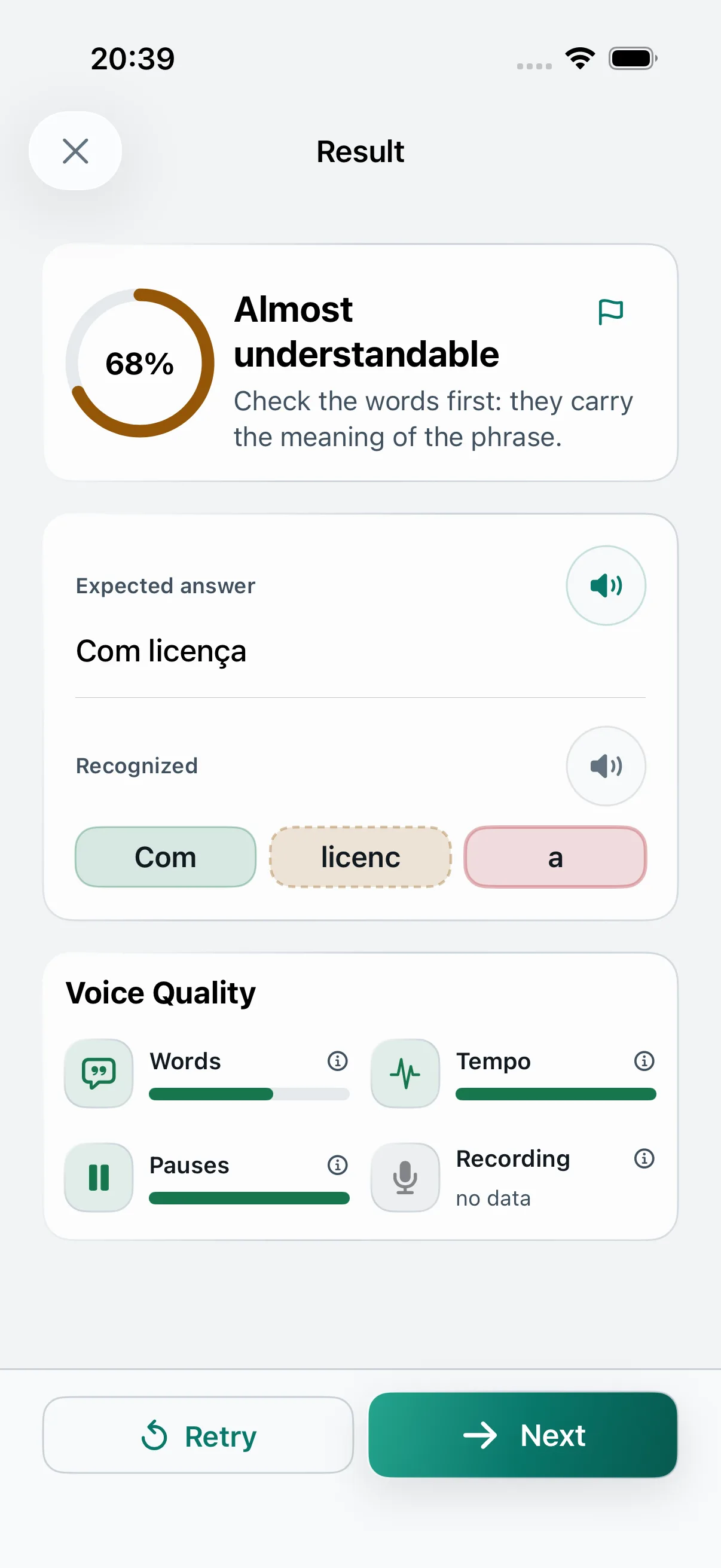
Compare the recognized words with the model. Choose what to focus on in your next attempt.
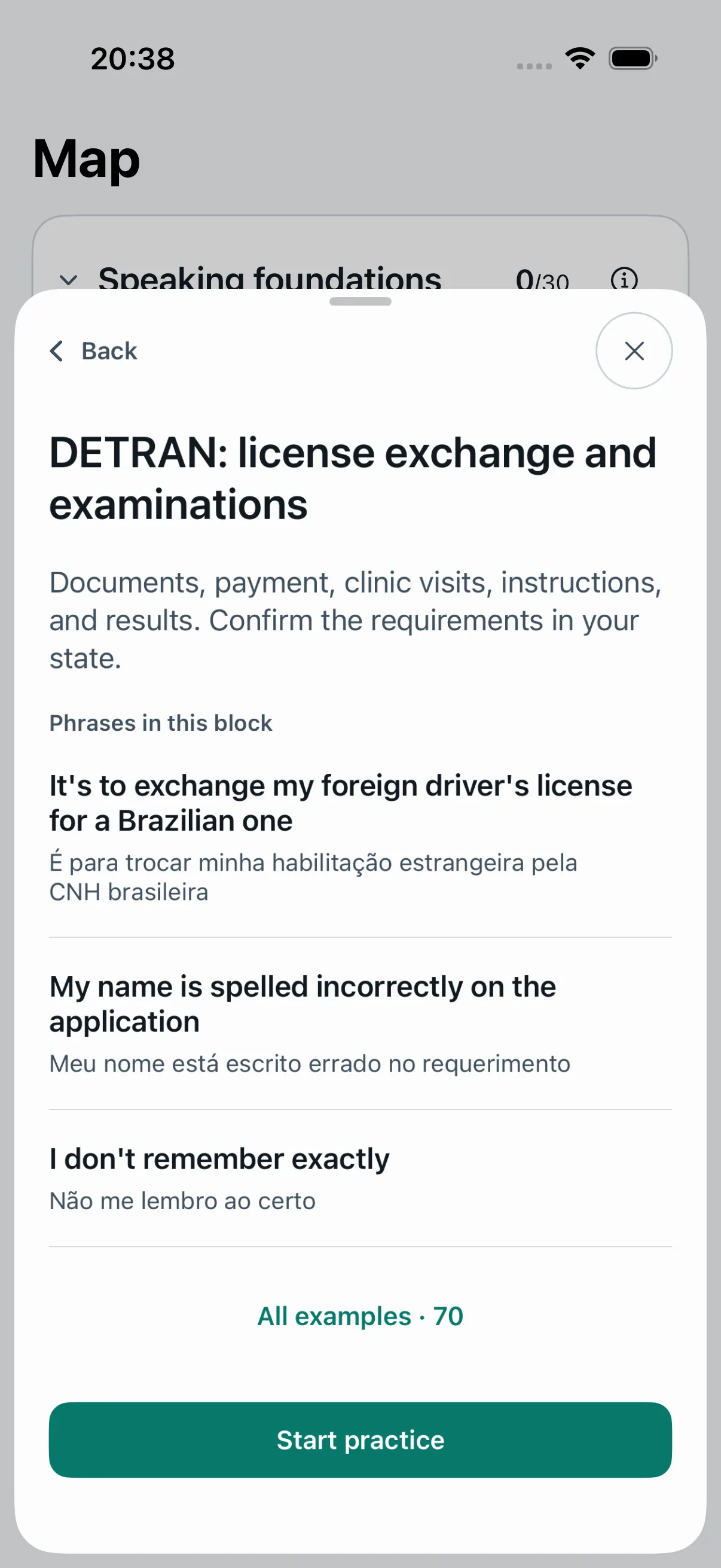
Choose a real-life situation, from cafés to paperwork. Rehearse the phrases you need next.
Start a session. Read the phrase. Hold the microphone and speak your answer. Release to compare the recognized words with the model. Choose Retry for another attempt.
Watch the video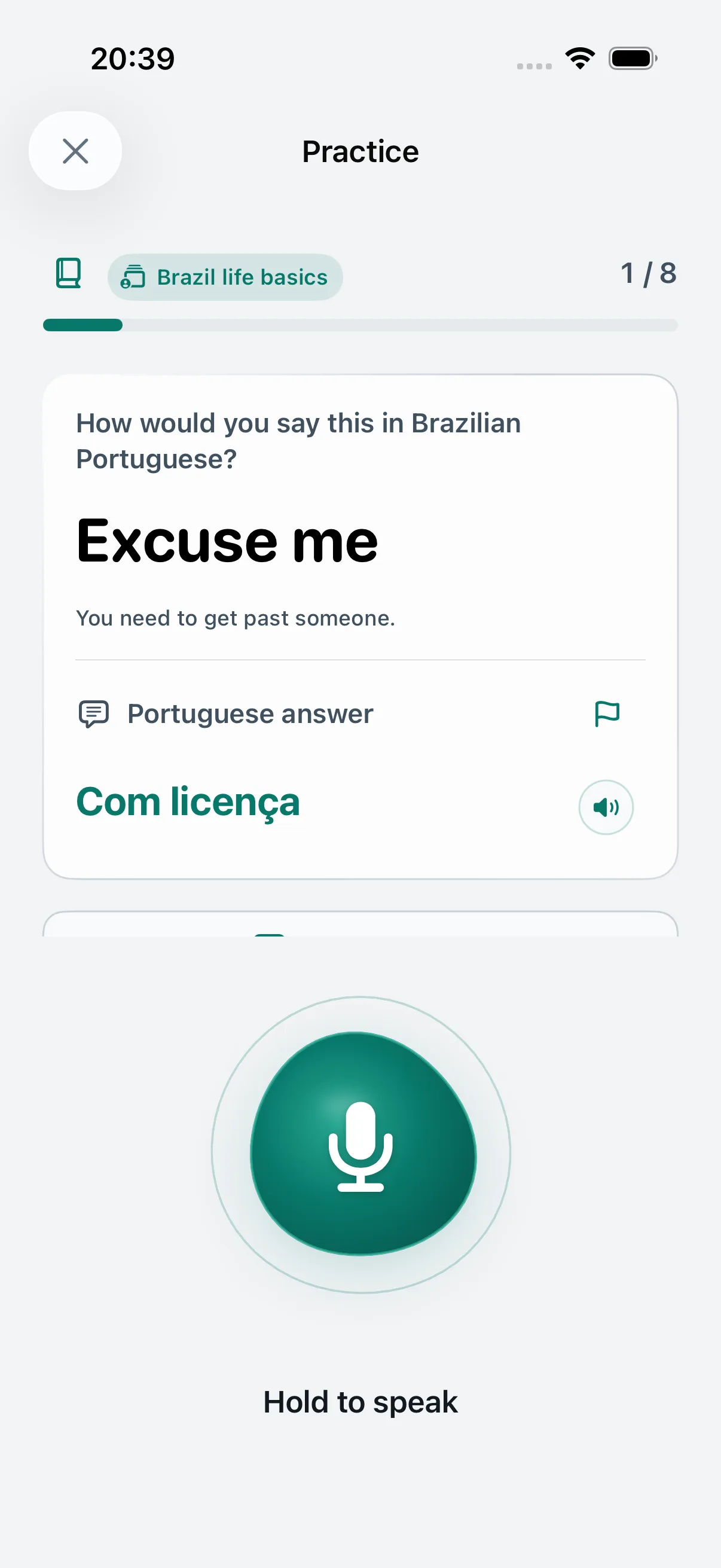
Portuguese course · actual app screens
02 / LANGUAGE THAT GOES WITH YOU
For the small exchanges and the bigger days. Build a speaking habit around the things you want to do in Brazil.

ONE CONVERSATION AT A TIME
Order, ask, and join in. Rehearse the small exchanges that help you take part in daily life.
Prepare useful phrases before a school conversation or an appointment. Give yourself a first attempt in private.
Practice the language around paperwork and travel, including real-life material for exchanging a driver’s license.
Return to weaker phrases with review practice, with grammar explanations to help the patterns make sense.
03 / PRACTICE THE PART THAT TRIPS YOU UP
LISTENING PRACTICE
Knowing a number on paper is one thing. Catching it in a conversation is another. Use the number trainer for dedicated listening exercises, replay the prompt, and work on recognizing spoken numbers.
VERB FORMS
Choose verbs, forms, and subjects for a focused session. Practice everyday or irregular verbs, work through forms together or mix them up, and return to the combinations you want to strengthen.
READY BEFORE YOU GO
Your commute. A quiet break. A moment before the next conversation. Download Apple’s speech model in advance and keep practicing offline on a supported iPhone with on-device recognition. Your history and progress stay with you.
LEARNING SCIENCE / MADE PRACTICAL
Memory, repetition, and speaking practice in one clear rhythm. Start Speaking turns learning principles into something you can do: say it, work on it, recall it again.
Listen to the model and make your own attempt. Put useful phrases into your own voice from your very first session.
Compare your words with the model, listen to your attempt, and try again. Every practice session gives you something concrete to work on.
Come back to familiar phrases and try saying them from memory. Review practice gives you another chance to find the words for yourself.
Our design draws on research into repeated speaking tasks and distributed practice. You experience these principles through short speaking sessions, useful feedback, and returning to phrases over time.
GET STARTED
English and Brazilian Portuguese, together in one app. Current access is through TestFlight, Apple’s app for beta versions.
No ads. No account. Included practice materials need no purchase — you can start practicing straight away.
Open the invitation on your iPhone. Install TestFlight from the App Store if you need it.
Return to the invitation, choose Accept, then Install.
Open Start Speaking: Voice Up and start your first practice.
Expected release
A FEW THINGS YOU MIGHT BE WONDERING
Choose a real-life situation, listen to the model phrase, and say it aloud. Compare your recognized words with the answer and repeat. Start Speaking gives your next café order, appointment, or everyday conversation a place to begin.
Yes. Start with speaking foundations and useful everyday phrases. English and Russian prompts help you understand the situation and get straight to speaking Portuguese.
Start Speaking focuses on Brazilian Portuguese (pt-BR), with practical situations from life in Brazil: cafés, school, appointments, documents, and travel.
See the words the app recognized alongside the model answer, with feedback to guide your next attempt. Replay your recording during the session, spot the part you want to improve, and say it again.
Absolutely. Bring your learning into spoken practice. Use your course for new ideas and explanations, then rehearse useful phrases aloud in Start Speaking before taking them into conversation.
Yes. On a supported iPhone, prepare Apple’s speech model and use on-device recognition. Complete the download and try a session before your trip, then take your practice with you. Text practice is also available.
No ads and no account to create. Start with the included practice materials, available without a purchase.
Yes. Train numbers with dedicated listening exercises. For verbs, choose the verbs, forms, and subjects you want to practice, then use grouped or mixed sessions to work on them aloud.
Replay your recording during the session; recordings are temporary. Your history stays on your device. Anonymous app analytics can be turned off in Settings, and you choose whether to share an export or Support ID. Speech uses Apple services, with on-device and online recognition modes. See the privacy policy for details.
Start practicing without creating an account. Your history and progress stay on your device, and you choose when to export or share them. Find details about speech services and data handling in our privacy policy.
Open the TestFlight invitation on your iPhone, install TestFlight, then Start Speaking: Voice Up. Choose your language and start with a useful phrase.
THE NEXT CONVERSATION IS YOURS
Practice today. Take your next phrase into the world.
Download on theApp Store